Archival-grade imaging for floppy disks, hard drives and any media at risk.
Floppy disks, hard drives and born-digital collections don't degrade gracefully — they work, and then one day they don't. Whether it's a shelf that's sat untouched for decades or a drive that arrived yesterday, DF Sentinel reads it safely, verifies exactly what's on it, and produces a defensible record of the process.
Built by a working Belfast forensics lab — over a decade of complex data recovery and forensic casework, turned into a product your own team can run. Ready to ship today.
The real risk in “we'll get to it eventually.”
Somewhere in almost every university archive, special collections department or records management office, there's a shelf holding media nobody has opened in years. Floppy disks from a research project that wrapped up before some of your current staff were born. Drives handed over with a donor deposit. A memory card from a digitisation project that lost its funding halfway through.
This is born-digital material — created digitally in the first place, with no paper original to fall back on. It doesn't degrade gracefully. It works, and then one day it doesn't — and by then, the hardware needed to read it has often stopped existing outside a handful of specialist labs.
Most archives already know this. What's usually missing isn't awareness — it's a safe, repeatable, properly documented way to act on it, without a standing digital forensics team on staff or an outsourced vendor relationship for every accession that turns up.
- The hardware disappears first. Long before a floppy disk fails, the drives capable of reading it vanish from ordinary IT inventories. A working floppy, Zip or Jaz drive isn't something a university helpdesk stocks anymore.
- File-system obsolescence, not just file-format obsolescence. Preservation planning focuses on whether a document will still open in twenty years — but there's an earlier problem: can the operating system mount the disk at all?
- “We opened it once and it looked fine” isn't evidence. Without hashing, provenance metadata and structural validation at the point of capture, there's no way to prove a file hasn't altered — or to catch quiet corruption.
- Physical media degrades on its own schedule, not yours. Magnetic media doesn't wait for a grant cycle or a staffing gap. The realistic window is measured in years, not decades — and it's already closing.
Why typical approaches fall short.
Most institutions currently handle this one of three ways, and each has a real gap.
Ad Hoc IT Tools
A well-meaning member of staff plugs a drive into a lab machine and copies the files across. Works fine for a healthy modern drive — and fails immediately for a damaged sector, an unsupported file system, or a floppy disk. No hashing, no audit trail, no structural validation, so even a successful copy can't later be proven accurate.
Outsourcing Every Batch
Gets the job done properly, but it's expensive per accession, introduces turnaround delays, and — for sensitive collections — means physical media leaves the building. Doesn't scale for institutions receiving regular legacy-media donations, and builds no in-house capability.
Cloud & Upload-Based Platforms
An increasingly common model: upload the image, or run the case management in someone else's cloud. Your collection — often embargoed, donor-restricted or personal — then sits on infrastructure you don't control, needs its own data-processing agreement, and stops being reachable the moment the subscription lapses or the connection drops.
Litigation-Grade Forensics Tools
Tools like FTK Imager handle raw sector-level imaging well, but they're designed around evidentiary workflows for legal and investigative contexts, and typically assume digital forensics training most archive and library staff haven't had reason to acquire.
There's a gap between “consumer tool that can't handle real legacy media” and “professional forensic suite built for a different profession entirely.” That gap is where DF Sentinel sits. Every piece of what it does — write-blocking, raw imaging, format identification, integrity validation, reporting — exists somewhere as its own separate open-source utility or point tool. What doesn't exist elsewhere, as far as we've found, is all of it guided and combined into one workflow a non-specialist can run start to finish, backed by one team you can actually call. So we built it.
Hi, I’m Nico — a decade of real casework, turned into a product.

DF Sentinel wasn't designed by a software house guessing at what archives need, and it wasn't drafted on a whiteboard. It comes from more than a decade of hands-on work at Data Forensics — complex data recovery and forensic casework across every kind of failed, damaged and obsolete media that walks through a working lab's door.
The product itself grew out of training we delivered for a local Belfast university and its archivists. Sitting with the people who actually handle the collections — seeing their backlog, their workflows, their procurement realities — shaped every design decision that followed.
That matters, because these tools weren't tested in a lab simulation. They've been proven in a real forensic environment, under real conditions, with real media — including the awkward, half-failed, decades-old media that theory tends to skip over, and hardened through multiple rounds of rigorous internal engineering review, with nearly 2,900 automated tests run on every release. When you license DF Sentinel, you also get the people behind it: real support from the technicians who built and use it. You're not left alone with a download. Read more about the lab and the team behind it.
— Nico · Founder, Data Forensics Ltd
Four jobs, one defensible record.
DF Sentinel 2.0 is an all-in-one hardware-and-software product for reading legacy and modern storage media, verifying its contents, and generating an exportable record of the process. It's continuously developed and refined as environments change and new requirements come up.
Imaging
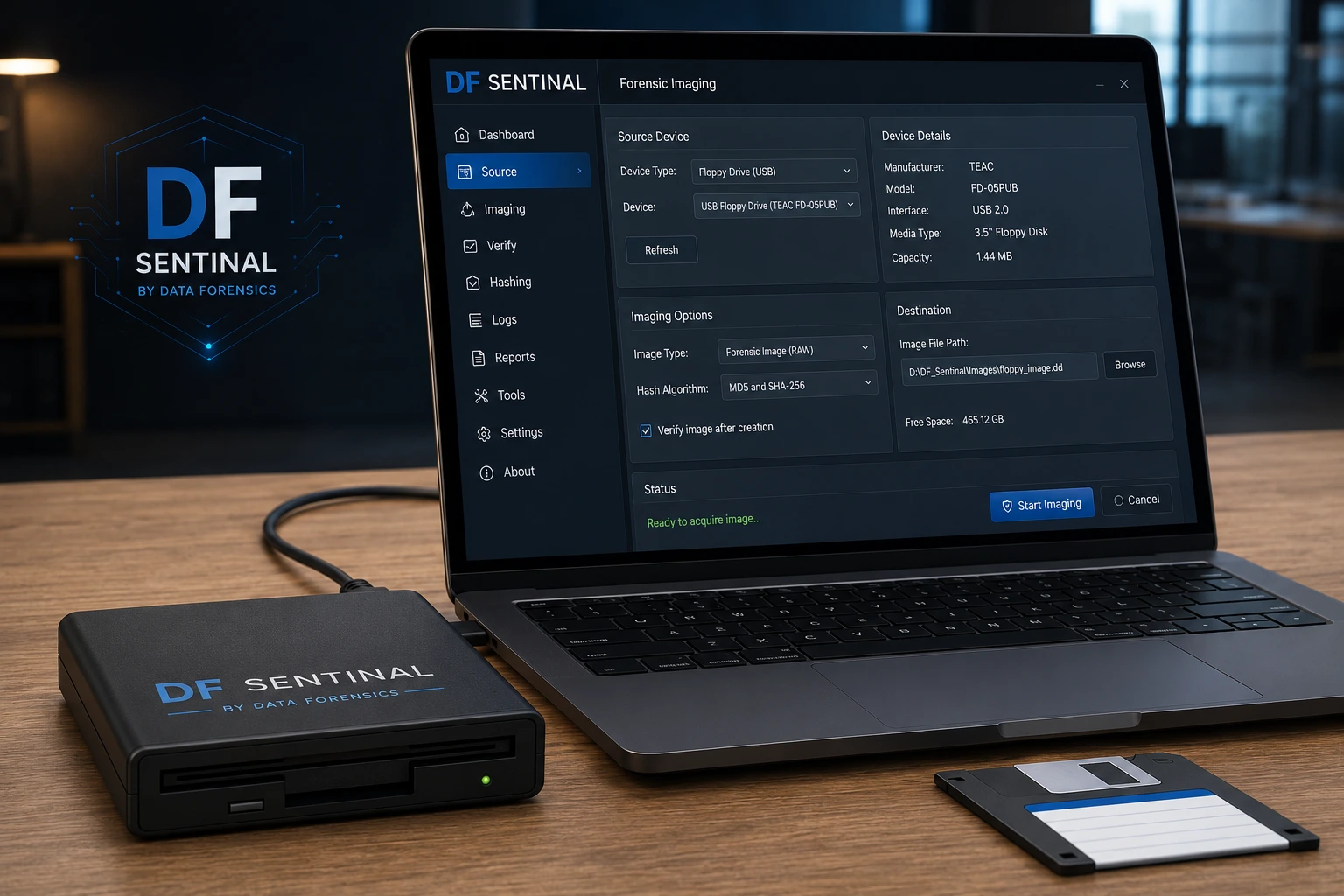
The imaging engine — DF Sentinel Keep — reads media at the raw sector level for a true bit-for-bit copy, capturing deleted, hidden and system files along with everything else, not just what a normal file browse would show. Hashing runs as it goes, without ever asking the operating system to mount the volume, so HFS+, EXT2/3/4 and other unsupported file systems don't block capture. For floppy disks specifically, see how floppy disk imaging works.
File Inventory
DF Sentinel Catalogue, powered by PRONOM (the UK National Archives' own format-identification registry), enumerates every file and identifies type by inspecting content and structure directly, rather than trusting a possibly-wrong extension. Effectively a ready-made digital asset register.
Integrity Validation
DF Sentinel Integrity Check runs dual modern hashing (SHA-256 and SHA-3-256) during acquisition, plus MD5 and SHA-1 kept for cross-checking against older tools' records — alongside per-format structural validators. Damaged, truncated or misidentified files are flagged at the point of capture, not years later.
Reporting & Audit
DF Sentinel Registrar writes every device read, every hash, every flagged file to an append-only activity log in normal operation, with sealed-case verification designed to expose any subsequent alteration. Exports to CSV, JSON and HTML.
No cloud. No uploads. No phone-home.
Most tooling in this space now assumes a network — you upload the disk image, or the case management lives in someone else's cloud, or the licence quietly checks in with a server before it will run. DF Sentinel does none of that.
Every stage — intake, imaging, file inventory, integrity validation, reporting — happens on the machine in front of you. Nothing about your collection is transmitted anywhere. There's no cloud service to procure, no account to create and no third-party data-processing agreement to negotiate, because there is no third party.
That includes licensing: the software doesn't call home to verify itself. Pull the network cable out, or install it on a permanently isolated workstation in a secure room, and every function behaves exactly the same. For material under embargo, donor restriction, commercial confidentiality or data-protection constraints, that's often the difference between being able to process it in-house and not being allowed to touch it at all. More on offline & air-gapped use.
If your institution needs to demonstrate controlled processing of sensitive material, this is the part that supports it: offline processing and the audit trail together provide technical evidence for your institution's controlled-processing policy, not just a claim to take on trust.
What running it actually looks like.
Six real screens from the application — from opening a case through to the report at the end.
Prefer to click around yourself? Try the live simulator — no install required.


From accession to defensible record.
Institutions usually bring DF Sentinel in as a standing in-house capability, or as a focused project to clear a specific backlog. Either way, the workflow follows the same shape.
Consultation & scoping
We understand what you're holding — media types, approximate volume, condition and timeline — and recommend which engagement model fits your situation and budget cycle.
Intake
Each item of media is logged as a case — who it came from, what it is, any context that arrived with it — establishing the audit trail before a single sector is read.
Imaging
Media is connected to the appropriate reader and imaged at the raw sector level, with hashing running throughout. Bad blocks and read errors are logged, not silently skipped.
Inventory & validation
DF Sentinel builds the file inventory from the completed image and runs integrity validation, flagging anything damaged, truncated, or misidentified.
Reporting
A case report (CSV, JSON or HTML) documents exactly what was imaged, what was found, and what needs follow-up, alongside the append-only audit log. See a sample report.
Handover
The verified image, file inventory, and JSON sidecar metadata move into whatever your institution already uses for long-term storage — standard, interoperable containers, not a proprietary lock-in.
Start with a conversation, not a price list.
No two archives look the same, so it all starts with talking to us about your requirements — media types, volume, condition, timeline. We don't publish a price list because we can't responsibly guess what's on your shelves before we know what it actually is: 3.5″ and 5.25″ floppies, Zip and Jaz disks, CDs and DVDs, external hard drives, SD and memory cards, or a NAS box nobody's powered on in years all carry a different scope. That mix is what drives the cost, not a generic rate card. From there, DF Sentinel comes in whichever shape fits — the underlying software, forensic guarantees and reporting stay identical throughout.
Software Licence
License DF Sentinel and run it against equipment you already have — often the fastest way to start. Software imaging of hard drives, SSDs and USB media works out of the box, and every licence comes with real support from the technicians who built it.
3.5″ Floppy Reader Bundle
Our own floppy controller hardware bundled with the software as a single tested package — purchase outright and get a legacy floppy workflow running immediately. 5.25″ and Zip/Jaz reader hardware is in development.
Custom Imaging Workstation
A dedicated, custom-built machine specified for the job — higher-grade components and ECC error-correcting memory — configured and tested around your specific collection and reading-room workflow.
Customisation & Integration
We can't predict every working environment — so the software was designed from the start to allow for integrations. Repository, cataloguing or accessioning system integration, customer-specific outputs, even integrating other hardware components: if your workflow needs it, we're happy to scope and build it.
Training for your staff is part of any engagement — delivered by the same people who run this media in a working lab, grounded in your actual collection rather than a generic slide deck.
What you need to run it.
The practical answers procurement usually asks for first. Full technical specifications.
- Operating system
- A native Windows application, tested on Windows 10 and Windows 11.
- Where it runs
- Entirely on your own machine — offline and local, no cloud service to procure and no data leaving the building.
- Internet connection
- None required, at any point — including licensing. Runs happily on a permanently air-gapped workstation. How that works.
- System requirements
- Moderate — ordinary workstation hardware is enough to get started. For high volumes or continuous imaging we'll spec a machine around your actual throughput rather than sell you more than you need.
- Reader equipment
- Runs against equipment you already have, our supplied reader bundle, or a custom-built workstation — your choice.
- Licensing
- Flexible, and shaped around what you actually need — scale, duration and engagement model are all discussed rather than fixed. Talk to us and we'll fit it to your budget cycle.
- Deployment
- No installer required — unzip and run, including from a USB stick on an examination or reading-room machine.
- File systems read
- NTFS, exFAT, FAT12/16/32, ext2/3/4, HFS+/HFSX, APFS, ISO9660, UFS — across MBR and GPT partition schemes.
The guarantees that run through the whole product.
The same rigour used in forensic evidence handling, applied to the legacy-media problem — because that's the standard this lab already works to every day. A software block is reported as exactly that, never dressed up as hardware-grade: we'd rather tell you what the product couldn't do than round a claim up.
The last resort, in the same building.
Imaging software assumes the media still basically works. Sometimes it doesn't — and that's where the rest of the lab comes in.
DF Sentinel assumes working media. Our lab doesn't have to.
DF Sentinel is built for media in working condition or with minor damage — that's the honest scope of any imaging tool. Behind it sits Data Forensics' full recovery lab, handling the failures software can't touch: seized drives, head crashes, degraded platters, fire and water damage, failed RAID and NAS arrays, media nothing else will read. If a disk in your collection is beyond software, it isn't beyond help — the same team simply takes it further, in-house, with the same chain of custody. DF Sentinel and the lab were built as one system from the start, not two products that happen to share a name.
Who uses DF Sentinel.
- University & academic archives
- Special collections & reading rooms
- Records management offices
- Research data management teams
- Institutional repositories
- Academic libraries
- Libraries, museums & memory institutions
Questions from archivists and records teams.
Do we need in-house digital forensics expertise to use this?
Do we have to buy hardware to get started?
Can you build something specific to our collection?
What happens with media that has a file system Windows can't read?
Is this just for floppy disks, or does it cover other media too?
What if our media isn't on your list, or nobody's dealt with it before?
Can this handle media with physical damage or read errors?
Does anything leave our building or network during processing?
Will the output work with our existing digital preservation system?
How is this different from sending media to a specialist data recovery vendor?
Can we start small and scale up later?
Tell us what you're holding.
There's no price list to request and no sales sequence to enter. This goes straight to the lab, and a real person reads it.
Prefer not to fill in a form? Email, call, or open your own mail app — whichever's easiest reaches the lab directly.
- An estimate is fine — “about three boxes” tells us as much as an exact count.
- If you don't know what the media is, say so. Unlabelled disks are normal.
- Mention anything visibly damaged, mouldy, or previously opened.
- If you're working to a grant deadline or retention date, tell us the date.
Explore the lab behind DF Sentinel.
DF Sentinel is one product from a working Belfast digital forensics and data recovery lab — the same people, the same standards, applied across everything below.
Floppy Disk Imaging
A deeper read than a normal copy, read-only by physics, built for a shelf of disks at once.
Write-BlockingHonestly Explained
Software-based, verified by attempt — what that means and why it's the right trade-off.
Digital PreservationBeyond Capture-Time Hashing
Ongoing fixity monitoring, PRONOM format ID, Dublin Core metadata and BagIt export.
Offline & Air-GappedNo Cloud, No Phone-Home
Runs identically on a permanently isolated workstation, including licensing.
ForensicsFor Labs & Legal Teams
Chain of custody, dual-hash imaging and resumable acquisition, explained honestly.
SpecificationsWhat You Need To Run It
Windows 10/11, file systems, deployment and licensing — plainly stated.
Sample ReportSee The Output
A verdict-first summary, with a full technical appendix underneath.
Talk to us about your backlog.
The enquiry form above is the quickest route — it reaches the lab directly. If you'd rather email, call, or just open your own mail app, these work equally well.
No newsletters, no mailing lists, no marketing follow-up — whichever way you get in touch.